.png)


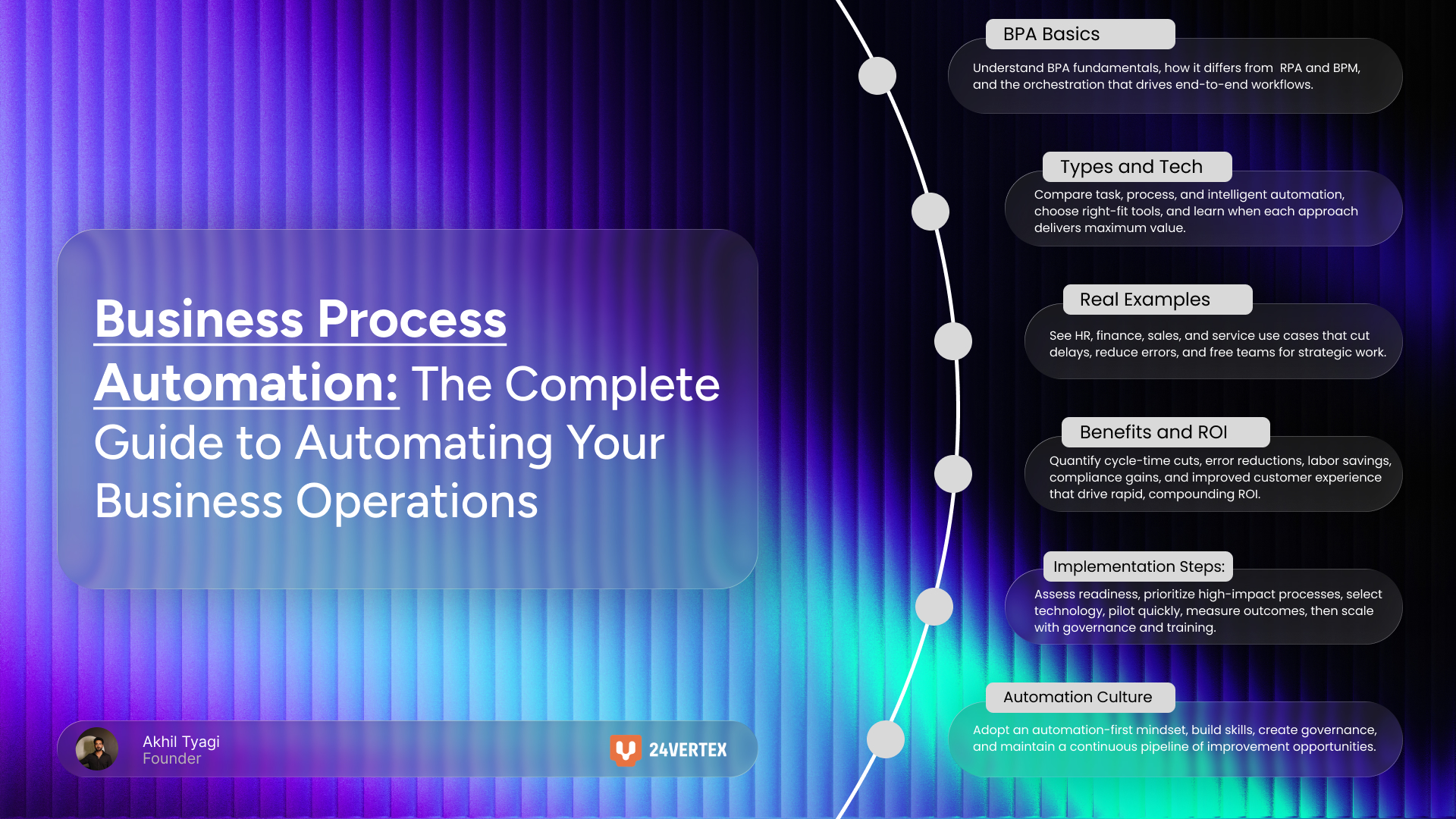
Business Process Automation: The Complete Guide to Automating Your Business Operations
A recent study by McKinsey found that companies lose up to 30% of their revenue due to inefficiencies in manual processes. That's not a rounding error. That's the difference between thriving and merely surviving. If your team is still manually routing invoices, copying data between systems, or chasing approvals through email chains, you're bleeding time and money every single day. Business process automation isn't just about cutting costs. It's about building an organization that can move faster, scale smarter, and compete more effectively than anyone still running on spreadsheets and hope.
This guide gives you everything you need to understand, plan, and implement automation across your operations. You'll learn what business process automation actually is, how it differs from related technologies, what types of automation fit different business needs, where to apply it for maximum impact, and how to build a roadmap that delivers measurable results. Whether you're exploring your first automation project or scaling an enterprise-wide initiative, you'll find practical frameworks you can use immediately.
(BPA) uses software to automate repetitive, multi-step business processes across departments and systems. It reduces manual work, eliminates errors, improves efficiency, and frees employees to focus on strategic tasks that drive growth and innovation.
What is Business Process Automation?
I once watched a finance team manually process over 200 invoices each week. Three people spent their entire Friday matching purchase orders to invoices to receipts, entering data into multiple systems, and chasing down approval signatures. When we mapped the process, we found 17 distinct handoffs and an average completion time of 11 days per invoice. Six months after implementing automation, that same process ran in 36 hours with zero manual data entry. The team redirected those freed hours toward strategic vendor negotiations that saved the company six figures annually.
That transformation captures what business process automation delivers when applied thoughtfully. But before you can implement it effectively, you need to understand exactly what you're working with and how it fits into the broader automation landscape.
Defining Business Process Automation
Business process automation refers to using software to automate complex, repeatable, multi-step business transactions that typically span multiple systems and departments. Unlike simple task automation that handles individual actions, BPA orchestrates entire workflows from start to finish. When a new employee joins your company, BPA can trigger account creation across six different systems, schedule training sessions, order equipment, assign a mentor, and send welcome communications without any manual intervention. The software manages handoffs, enforces business rules, handles exceptions, and maintains an audit trail of every action. This end-to-end orchestration separates BPA from simpler automation approaches.
How BPA Differs from Related Technologies
The automation landscape includes several overlapping concepts that often confuse buyers. Robotic process automation (RPA) focuses narrowly on mimicking human actions within software interfaces. An RPA bot might log into a system, copy data, and paste it elsewhere, but it typically handles discrete tasks rather than complete processes. Business process management (BPM) is broader than BPA. It's a management discipline focused on analyzing, modeling, and optimizing processes, with automation as one tool among many. Simple task automation handles individual actions like sending an email or updating a database field. BPA sits in the middle, automating complete processes but often incorporating RPA for specific tasks and operating within a BPM framework for continuous improvement. These technologies complement rather than compete with each other.
Key Components of BPA Systems
A functional BPA solution combines several technical elements. The workflow engine serves as the brain, managing process logic, decision points, and sequencing. System integrations and APIs connect disparate applications so data flows automatically between your CRM, ERP, HR system, and other tools. User interfaces allow employees to initiate processes, respond to requests, and monitor progress without technical knowledge. Analytics and reporting components track performance metrics, identify bottlenecks, and demonstrate ROI. Increasingly, AI and machine learning capabilities enable intelligent automation that can handle exceptions, learn from patterns, and make decisions within defined parameters. Together, these components create a platform that can automate processes of virtually any complexity.
Types and Technologies in Business Process Automation
Not all automation is created equal, and one of the costliest mistakes I see organizations make is choosing the wrong tool for their needs. A manufacturing client once invested in an enterprise BPA suite to automate a simple approval workflow. They spent eight months and $300,000 implementing a solution that a basic workflow automation tool could have handled in three weeks for under $10,000. Understanding the automation spectrum helps you match technology to need.
Task and Workflow Automation
At the foundation of the automation pyramid sits task automation and basic workflow automation. These tools handle individual tasks or simple linear workflows. Examples include automated email responses triggered by form submissions, scheduled data transfers between systems, document routing for approvals, or notification systems. Tools like Zapier, Microsoft Power Automate, and built-in automation features in platforms like Salesforce operate at this level. They're perfect for processes with clear triggers, straightforward logic, and minimal exception handling. If your process involves fewer than five steps and stays within one or two systems, task automation probably suffices.
Process Automation and Digital Process Automation
Mid-level automation orchestrates complete end-to-end processes across multiple departments and systems. This is where true business process automation begins. Digital process automation (DPA) specifically focuses on automating processes as part of broader digital transformation initiatives. These solutions handle complex routing logic, parallel workflows, exception management, and sophisticated business rules. A purchase-to-pay process that involves requisition approval, vendor selection, purchase order creation, goods receipt, invoice matching, and payment processing requires this level of automation. DPA platforms typically include visual process designers, integration capabilities, mobile access, and comprehensive analytics. They bridge the gap between simple task automation and full enterprise automation suites.
Intelligent Automation
Intelligent automation represents the most advanced tier, combining BPA with artificial intelligence, machine learning, natural language processing, and advanced analytics. These systems don't just execute predefined rules; they make decisions, learn from patterns, and adapt to changing conditions. An AI-powered chatbot can handle customer service inquiries, understand intent, pull information from knowledge bases, escalate complex issues to humans, and improve its responses based on feedback. Predictive analytics can trigger automated responses when customer behavior suggests churn risk. Document processing with machine learning can extract data from invoices regardless of format variations. This level of automation tackles processes that previously required human judgment, dramatically expanding what's possible to automate.
[Image of intelligent automation workflow diagram showing AI decision points]
Real-World Business Process Automation Examples
Theory matters, but seeing concrete applications helps you identify opportunities in your own organization. The most successful automation initiatives I've witnessed started with someone recognizing a pattern in their daily frustration. A VP of HR who was tired of manually setting up new hire accounts. A finance director frustrated by invoice processing bottlenecks. A customer service manager overwhelmed by routing tickets. Your automation opportunity is hiding in someone's recurring headache.
Human Resources Automation
Employee onboarding perfectly illustrates business process automation in action. When a new hire accepts an offer, automation can trigger account creation across email, HR systems, payroll, benefits platforms, and collaboration tools. It orders equipment based on role requirements, schedules orientation sessions, assigns compliance training, pairs the employee with a mentor, and sends welcome communications. The new hire arrives on day one with everything ready. Similarly, employee offboarding automation deactivates accounts, retrieves equipment, transfers knowledge, processes final payments, and ensures compliance with exit procedures. Time-off request workflows route approvals based on organizational hierarchy, check available balances, update calendars automatically, and notify affected teams. What previously required HR coordinators to spend hours per employee now happens automatically with perfect consistency.
Finance and Procurement Automation
Invoice processing demonstrates the power of combining workflow automation with intelligent automation. Traditional three-way matching compares purchase orders, receiving documents, and invoices to ensure accuracy. Automated systems extract data from invoices using optical character recognition and machine learning, match them against POs and receipts, flag discrepancies for human review, route approvals based on amount thresholds and budget authority, and schedule payments. What took days of manual work happens in hours. Expense report processing similarly automates receipt capture, policy compliance checking, approval routing, and reimbursement. Purchase order workflows automate requisition approval, vendor selection based on predefined criteria, PO generation, and order tracking.
Sales and Marketing Automation
Lead nurturing workflows exemplify marketing automation at its best. When a prospect downloads a whitepaper, automation can score the lead based on demographic and behavioral data, assign it to the appropriate sales representative based on territory and specialization, trigger a personalized email sequence, update the CRM with all interactions, and notify sales when the lead reaches a threshold score. Proposal generation automation pulls customer data from the CRM, populates templates with appropriate pricing and terms, routes proposals for legal and leadership approval, tracks document views, and alerts sales when prospects engage. These workflows ensure no lead falls through cracks and sales teams focus energy on high-value interactions rather than administrative tasks.
Benefits and ROI of Business Process Automation
CFOs and CEOs don't care about automation for its own sake. They care about results. The most compelling business cases I've built combined hard ROI metrics with strategic advantages that create lasting competitive differentiation. A logistics company reduced order processing time from four hours to 12 minutes, enabling same-day shipping that became their primary competitive advantage. The cost savings paid for the automation investment in seven months, but the strategic positioning delivered value for years.
Operational Efficiency and Cost Reduction
Business process automation delivers measurable efficiency gains. Organizations typically see 40-75% reduction in process completion time for automated workflows. Error rates drop by 60-90% when human data entry is eliminated. Labor costs decrease as employees redirect time from repetitive tasks to strategic work. A process that required 20 hours of manual effort per week might drop to two hours of exception handling after automation. Automated processes run 24/7 without fatigue, handle volume spikes without additional staffing, and produce consistent output regardless of complexity. These benefits compound over time. The invoice processing automation that saves 15 hours weekly delivers 780 hours annually, equivalent to nearly half an FTE that can be redeployed to higher-value work.
Enhanced Accuracy and Compliance
Human error is expensive. A misplaced decimal in a financial transaction, a forgotten step in a compliance procedure, or inconsistent application of business rules creates risk and rework. Process automation eliminates these errors by executing processes identically every time. It creates comprehensive audit trails automatically, documenting every action, decision, and exception. Compliance requirements that demand consistent execution and thorough documentation become easier to satisfy. Automated workflows enforce business rules without exception, ensuring policies are applied uniformly across the organization. When regulations change, you update the automated process once rather than retraining hundreds of employees. The confidence this creates with auditors, regulators, and customers has value beyond simple error reduction.
Improved Customer Experience
Customers don't care about your internal processes. They care about speed, accuracy, and responsiveness. Automation directly improves all three. Order processing that took three business days now completes in hours. Customer inquiries receive immediate automated acknowledgment and routing to the right specialist. Status updates happen in real-time rather than requiring customers to call and ask. Service quality remains consistent regardless of time, day, or volume. A retail client reduced customer onboarding from 14 days to 90 minutes through automation, transforming their competitive position. The operational efficiency benefits mattered, but the ability to tell prospects "You'll be up and running this afternoon" closed deals they previously lost.
How to Implement Business Process Automation
Implementation separates successful automation initiatives from expensive failures. I've seen organizations with modest budgets deliver extraordinary results through disciplined execution, and I've watched well-funded projects collapse because they skipped fundamental steps. A healthcare company automated 40 processes in 18 months by starting small, learning relentlessly, and building internal capability. A financial services firm spent two years and millions of dollars trying to automate everything at once and abandoned the initiative with nothing to show.
The difference wasn't budget or technology. It was approach.
Step 1: Assess Readiness and Identify Opportunities
Begin by evaluating organizational readiness. Do you have executive sponsorship? Can you dedicate resources to the initiative? Are people open to change, or will you face resistance? Document current processes thoroughly before attempting automation. You cannot automate what you don't understand. Identify high-impact candidates by looking for processes that are high-volume, repetitive, rule-based, and measurable. Processes with frequent errors, long cycle times, or bottlenecks make excellent targets. A simple prioritization matrix scoring processes on impact and feasibility helps focus effort. Avoid the temptation to automate broken processes. Fix them first, then automate the improved version.
Step 2: Choose the Right Technology and Approach
Technology selection determines long-term success. Evaluate options based on your process complexity, integration requirements, internal technical capabilities, and growth plans. Simple processes with limited integration needs might work perfectly with low-code platforms or task automation tools. Complex, cross-functional processes require comprehensive BPA platforms with robust integration capabilities. Consider whether you need on-premise control or can use cloud-based solutions. Assess vendor stability, support quality, and upgrade paths. Build versus buy decisions should factor in total cost of ownership, time to value, and ongoing maintenance requirements. The right choice matches your current needs while accommodating future growth without forcing a complete platform change in two years.
Step 3: Start Small, Measure, and Scale
Pilot projects reduce risk and build organizational confidence. Select one process that's important but not mission-critical for your initial automation. Implement it, gather feedback from users, measure results against defined success metrics, and refine your approach based on lessons learned. This pilot becomes your proof of concept, demonstrating value and building internal expertise. Document what worked, what didn't, and what you'd do differently. Use these insights to tackle your next process, gradually increasing complexity and scope. Establish an automation center of excellence to capture knowledge, standardize approaches, maintain governance, and accelerate future initiatives. Organizations that scale successfully treat automation as a capability to build, not a project to complete.
Automation Maturity StageTypical FocusTechnology ApproachExpected TimelineInitial (Pilot)1-2 high-impact processesLow-code platforms or targeted RPA2-4 monthsDeveloping (Scaling)5-10 processes across departmentsBPA platform with integrations6-12 monthsMature (Enterprise)30+ processes, continuous pipelineEnterprise automation suite with AI18-24 months
Your starting point determines which stage makes sense. Organizations new to automation should resist the temptation to jump directly to enterprise-scale implementations. Build capability progressively.
Frequently Asked Questions
Will business process automation eliminate jobs?
Business process automation typically eliminates tedious tasks, not entire jobs. Employees are freed from repetitive, low-value work to focus on activities requiring creativity, judgment, relationship building, and strategic thinking. Most organizations redeploy staff rather than reduce headcount. A finance team that automated invoice processing didn't lay off AP clerks. They reassigned them to vendor relationship management and strategic sourcing, functions that delivered far more value than data entry. Automation often enables growth that creates new roles. Companies expanding into new markets or product lines need the efficiency automation provides to scale without proportionally increasing headcount.
How much does business process automation cost?
Costs vary dramatically based on scope, technology choices, and implementation approach. Basic workflow automation using tools like Zapier or Microsoft Power Automate can start at a few thousand dollars annually. Mid-range BPA platforms typically cost $15,000 to $100,000 for initial implementation plus ongoing licensing. Enterprise automation suites can reach hundreds of thousands or millions for large-scale deployments. However, ROI typically realizes within 6-18 months for well-chosen processes. A $50,000 investment that eliminates 20 hours of manual work weekly at a blended rate of $40/hour saves over $40,000 annually, paying for itself in 15 months and delivering ongoing value thereafter. Focus on value delivered rather than upfront cost.
What processes should we automate first?
Prioritize high-volume, repetitive, rule-based processes with clear inputs and outputs that currently suffer from errors or delays. Excellent starter processes include invoice processing, employee onboarding, customer data entry, report generation, and approval workflows. Look for processes where the same steps repeat hundreds of times monthly, where delays create bottlenecks, or where errors have costly consequences. Avoid automating poorly designed processes without fixing them first. Also avoid starting with highly complex processes involving significant exceptions and judgment calls. Build confidence and capability with straightforward wins, then progressively tackle more sophisticated automation.
How long does BPA implementation take?
Timeline depends entirely on complexity and scope. Simple robotic process automation bots handling individual tasks can deploy in 2-4 weeks. Mid-complexity workflows spanning a few systems typically require 2-3 months from design through deployment. Comprehensive BPA solutions orchestrating processes across multiple departments and a dozen integrated systems may take 6-12 months. Phased approaches starting with pilot projects are strongly recommended. You'll learn more from completing three modest automation projects in six months than spending six months planning one perfect implementation. Factor in time for process documentation, stakeholder engagement, testing, training, and refinement. Organizations consistently underestimate these non-technical elements.
Do we need technical expertise to implement automation?
It depends on your approach and technology choices. Low-code and no-code platforms enable business users to build automations without programming skills. These tools use visual interfaces, drag-and-drop logic builders, and pre-built connectors that democratize automation. However, more complex implementations involving custom integrations, sophisticated logic, or enterprise automation platforms typically require technical expertise. Many organizations succeed with a hybrid model where IT provides infrastructure, integration, and governance while business users build and maintain process automations within that framework. The emergence of low-code platforms has dramatically reduced technical barriers, making automation accessible to organizations without large IT departments.
How do we measure automation success?
Define success metrics before implementation and track them consistently. Common KPIs include process cycle time reduction, error rate improvements, cost per transaction, employee hours saved, customer satisfaction scores, and overall ROI. Establish baseline measurements of current-state performance, then compare post-implementation results. A complete measurement framework includes operational efficiency metrics like throughput and accuracy, financial metrics like cost savings and ROI, quality metrics like error rates and compliance, and strategic metrics like scalability and customer experience. Track both hard numbers and qualitative feedback from users. The invoice automation that saves 15 hours weekly delivers measurable ROI, but the AP team's feedback that they "finally have time for strategic work" indicates cultural transformation that compounds those benefits.
Building Your Automation-Ready Organization
Business process automation represents more than technology implementation. It's organizational transformation that touches culture, capabilities, and competitive positioning. The companies winning with automation don't just deploy software. They build automation-first mindsets where teams continuously identify improvement opportunities, embrace change, and measure everything. They invest in skills development, create governance frameworks that balance control with agility, and treat automation as a strategic capability rather than a cost-cutting exercise.
Start where you are. You don't need a massive budget or a team of data scientists to begin. You need one well-documented process, a commitment to measure results, and willingness to learn. Document a single manual process this week. Map every step, identify handoffs, measure current performance, and calculate the cost of the status quo. That exercise alone often reveals opportunities worth tens of thousands of dollars annually.
For organizations further along the automation journey, the next frontier is intelligent automation that combines process automation with AI and machine learning. These technologies enable automation of processes that require judgment, pattern recognition, and adaptation. The organizations building these capabilities now will have insurmountable advantages over competitors still debating whether to automate their invoice processing.
The question isn't whether to pursue business process automation. The question is how quickly you can build the capability to do it well. Your competitors are already automating. Your customers expect the speed and consistency automation enables. Your best employees want to spend time on meaningful work, not repetitive tasks a computer should handle.
Ready to identify your highest-impact automation opportunities? Download our free Process Automation Readiness Assessment to evaluate your current processes and build a prioritized automation roadmap.